
How to Block Someone on TikTok: A Step-by-Step Guide
TikTok is a great place to watch videos, discover new creators, and connect with people. However, sometimes you may come across users who leave unwanted comments, send annoying messages, or make you uncomfortable. If you don't want someone interacting with your account, TikTok gives you the option to block them.
Blocking someone is a simple way to manage your privacy and control who can interact with your content. In this guide, you'll learn how to block someone on TikTok, what happens after blocking an account, and how to unblock someone if you change your mind.
How to Block Someone on TikTok
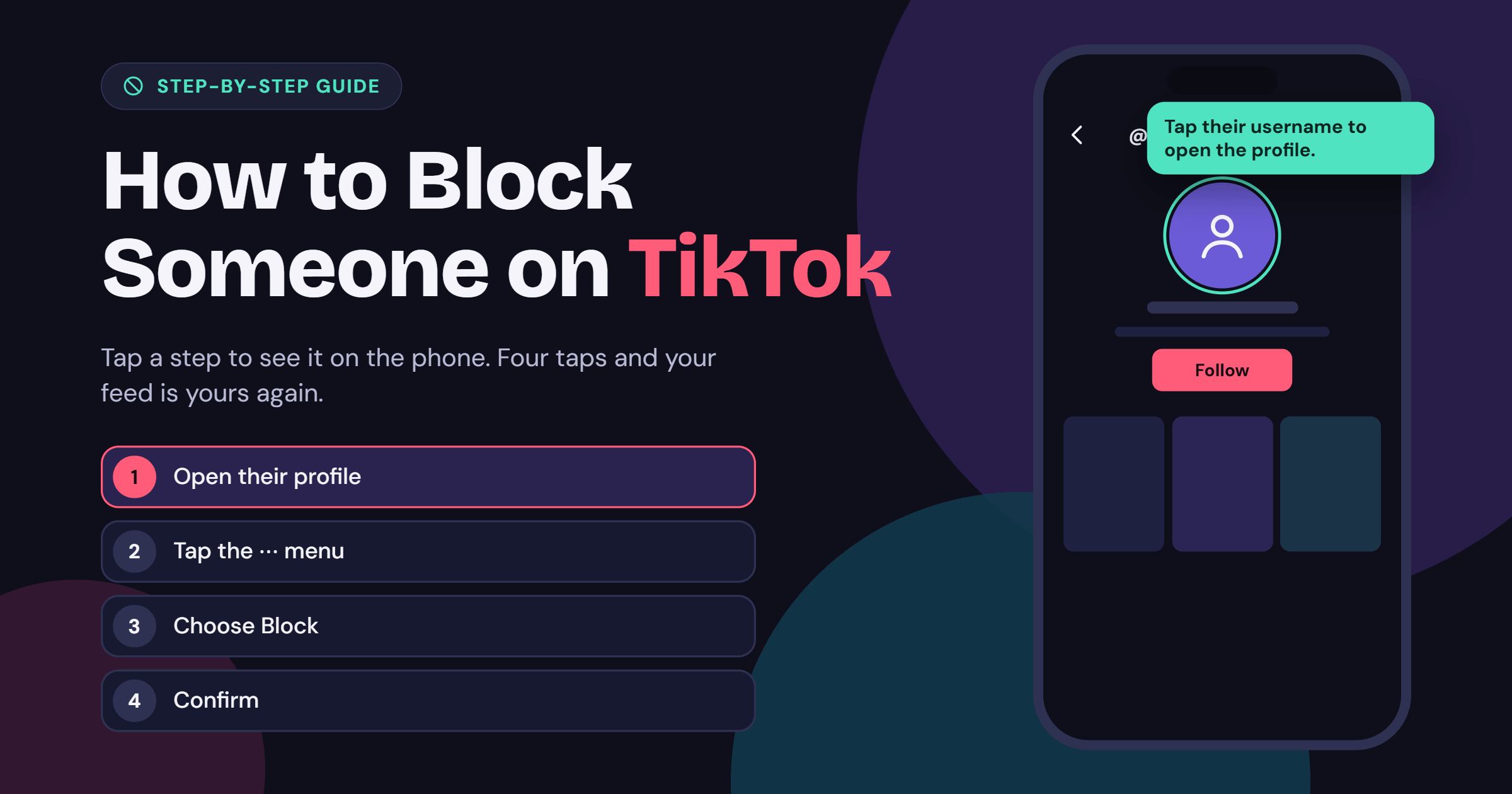
You can block any TikTok account directly from its profile. The process is almost the same on Android and iPhone, so you can follow these steps regardless of which device you use.
- Open TikTok: Launch the TikTok app on your phone and log in to your account.
- Find the Person's Profile: Search for the username of the person you want to block or open their profile from a comment, video, or message.
- Tap the Share Button: Open their profile and tap the Share arrow at the top of the screen.
- Select Block: Find the Block option in the menu that appears.
- Confirm Your Choice: Tap Block again when TikTok asks you to confirm.
That's it! The selected account will now be blocked, and you won't have to worry about that person interacting with your content through their account.
What Happens When You Block Someone on TikTok?
When you block someone on TikTok, the platform limits how that account can interact with you. They won't be able to view your posts, send you direct messages, or find your profile through TikTok search while the block is active.
Blocking also prevents the person from following you or interacting with your content in the usual ways. TikTok does not send them a notification when you block their account, although they may realize it if they try to visit your profile or contact you.
How to Unblock Someone on TikTok
If you accidentally blocked someone or decide to let them interact with your account again, you can unblock them at any time. TikTok makes it easy to manage your blocked accounts through its privacy settings.
Follow these steps to unblock someone:
- Open TikTok and go to your Profile.
- Tap the Menu button (three horizontal lines) in the top-right corner.
- Select Settings and privacy.
- Tap Privacy.
- Scroll down and open Blocked accounts.
- Find the account you want to unblock and tap Unblock.
The account will be unblocked, allowing you to find and interact with each other again, depending on your privacy settings.
How to Know If Someone Has Blocked You on TikTok
TikTok doesn't send a notification when another user blocks your account. However, there may be a few signs that indicate you've been blocked.
- Their Profile Is Hard to Find: You may not be able to find their account through TikTok search.
- Their Videos Are Not Visible: Their posts may no longer appear when you visit their profile.
- You Cannot Send Messages: You may be unable to start or continue a direct conversation with that account.
- Their Profile Is Inaccessible: Opening an old profile link may not show the account's content.
Keep in mind that these signs don't always mean someone has blocked you. The person may have changed their username, deactivated their account, or adjusted their privacy settings.
Can You Block Someone on TikTok Without Visiting Their Profile?
TikTok also provides ways to manage unwanted interactions through comments and messages. For example, you can block accounts from the comments section on your own posts using the comment management options. This can be helpful if several accounts are leaving unwanted comments and you don't want to open each profile individually.
You can also manage unwanted conversations from your inbox. The available options may vary depending on your device and app version, but you can use TikTok's messaging and privacy controls to limit unwanted contact.
Final Thoughts
Blocking someone on TikTok is a simple way to protect your privacy and manage your online experience. Whether someone is sending unwanted messages, leaving inappropriate comments, or making you uncomfortable, you can block their account directly from their profile in just a few steps.
You can also review your blocked accounts and unblock someone whenever you change your mind. Use TikTok's privacy features to decide who can interact with your account and enjoy a more comfortable experience on the platform.