
How to Go Live on TikTok: Requirements and Step-by-Step Guide
TikTok LIVE lets you stream in real time, chat with viewers, and build a stronger connection with your audience than short videos usually allow. It's also a quick way to answer questions, show behind-the-scenes moments, or promote something you're working on. In this guide, you'll learn the requirements, the exact steps to go live, and what to do if the LIVE button is missing.
TikTok LIVE Requirements
Not every account can go live right away. TikTok sets a few conditions first:
- Followers: You need at least 1,000 followers, though the limit can vary by region, and some users have reported going live without that number.
- Age: The minimum age is 18 (19 in South Korea), and you may need to confirm your age the first time you start a LIVE.
- Account standing: Your account should follow TikTok's community guidelines. Past violations can limit your access to LIVE.
- Updated app: Make sure you're on the latest version of TikTok.
If TikTok asks you to verify your age, you can usually do it with an ID and selfie, a credit card check, or facial age estimation.
How to Go Live on TikTok
The steps are almost the same on iPhone and Android.
- Open TikTok: Launch the app and log in to your account.
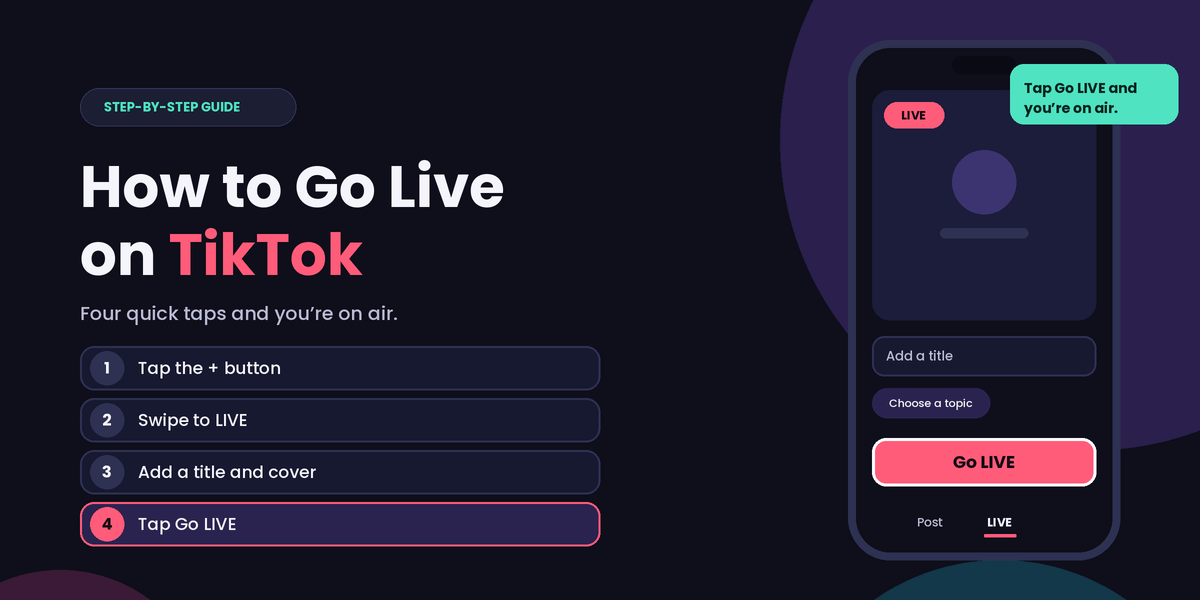
- Tap the + button: It's at the bottom center of the screen.
- Swipe to LIVE: Swipe through the options at the bottom until you reach LIVE.
- Add a title and cover: Write a short title that tells viewers what the stream is about, and choose a cover image.
- Choose your topic and settings: Pick a category and adjust options such as who can comment.
- Tap Go LIVE: After a short countdown, you're live.
To finish, tap the close (X) button in the corner and confirm that you want to end the stream.
Can You Go Live on TikTok From a Computer?
Yes. TikTok Live Studio is TikTok's official desktop app for streaming from a PC. It's useful if you want a larger screen, a better camera, or to show your desktop. You still need to meet the same follower and age requirements.
Why Can't I See the LIVE Button?
If you meet the requirements but still don't see the option, try these fixes:
- Update the app from the App Store or Google Play.
- Switch between Wi-Fi and mobile data and restart the app.
- Wait a little: The feature can roll out gradually, so it may take time to appear.
- Check your account for violations under your safety and account notifications.
If none of this works, you most likely haven't met the follower, age, or account-standing requirements yet.
Tips for a Successful TikTok LIVE
- Announce it first: Post a short video or add a note to your bio saying when you'll go live.
- Pick a clear topic, such as a Q&A, a tutorial, or a product demo.
- Use good lighting and sound: Face a window or lamp, and use earphones with a mic if you can.
- Greet people by name and answer comments as they come in.
- Go live regularly. Viewers are more likely to return when they know when to expect you.
Staying Safe While You're Live
Live comments can get unpleasant, so set yourself up before you start. Limit who can comment, filter keywords, and ask a trusted friend to moderate. If someone causes trouble, you can remove and block them.
Final Thoughts
Going live on TikTok is simple once you meet the requirements. Open the + menu, swipe to LIVE, add a title, and tap Go LIVE. Start with a short, planned stream, and you'll get more comfortable each time.